
An internal communication video is a short, purpose-built video that delivers one clear message from your organization to its employees, such as a CEO update, a change announcement, a benefits explainer, or an onboarding welcome. Done well, it puts a human face on company news and gets your message seen, understood, and remembered.
An internal communication video is any video made for an audience inside your organization rather than for customers or prospects. The viewer is an employee, a manager, a contractor, or a franchise partner. The goal is clarity and alignment: you want people to understand what is happening, why it matters, and what you need them to do next.
Internal communication video sits inside the broader world of corporate video production, alongside brand films, recruiting videos, and event coverage. If you are newer to the category, our guide on what corporate video production includes lays out the landscape. What sets internal video apart is the audience and the metric of success. You measure it by understanding and action inside the building, and the building may now be spread across offices, plants, clinics, warehouses, and home desks in many states.
Video works for internal communications because it carries tone, intent, and personality in a way text cannot. When a CEO explains a reorganization in her own words, employees hear the care in her voice, see her face, and read her body language. That context answers the unspoken questions people bring to every company announcement: Is this good news? Are we okay? Does leadership mean it?
Video also travels well across a distributed workforce. A frontline supervisor on a plant floor, a nurse finishing a shift, and a software engineer working remotely can all watch the same two-minute update on their own schedule and come away with the same understanding. That consistency is hard to achieve with cascaded meetings, where each manager retells the story a little differently.
Here is what a strong internal video program gives you:
The right mix depends on your size, structure, and what is changing in the business this year. These are the formats we see deliver the most value for mid-market and enterprise teams. Our breakdown of types of corporate video covers the external formats that pair with them.
A CEO video message is the anchor of most internal programs. Quarterly business updates, strategy launches, year-end thank-yous, and milestone announcements all land better when they come from the leader's own voice. Keep them short, specific, and personal. One story about a team or a customer moment beats a slide full of metrics read aloud.
A live town hall can run an hour. The town hall video recap distills it into a three to five minute highlight that employees on other shifts, in other time zones, or on leave can catch later. Capture the full session with multiple cameras and clean audio, then cut a highlight reel plus short clips of individual announcements. Our guide to corporate event video production covers the multicamera planning that makes a recap easy to edit, and you can see how we approach event video production for conferences and company gatherings.
Mergers, new systems, restructures, office moves, and new operating models create uncertainty. A change management video series lets leaders explain the why, the timeline, and the support available, then follow up as milestones arrive. Sequencing matters here: an announcement video, a "what this means for you" video by department, and a progress update a few weeks later.
Onboarding videos introduce new hires to your mission, your leaders, your history, and how work actually gets done. A welcome from the CEO, a tour of key locations, and short introductions from department heads give new employees a sense of belonging before day one ends. These same assets often feed your employer brand, which is why many teams pair them with recruitment video production.
Open enrollment, new leave policies, compliance updates, and retirement plan changes are dense topics that employees genuinely need to understand. A short explainer combining a friendly on-camera host with clear graphics turns a twelve-page PDF into a three-minute video people can rewatch. For abstract topics, animated explainer video production keeps the information visual and easy to update next year.
Spotlights on teams, employee anniversaries, award winners, volunteer days, and customer impact stories reinforce your values with real examples.
Short, task-focused training clips teach a single skill: how to use a new tool, how to complete a safety check, how to log a support ticket. They live in your learning management system and get reused constantly. Our guide to corporate training video production goes deep on this format, and our training video production page shows how we build training libraries for teams of every size.
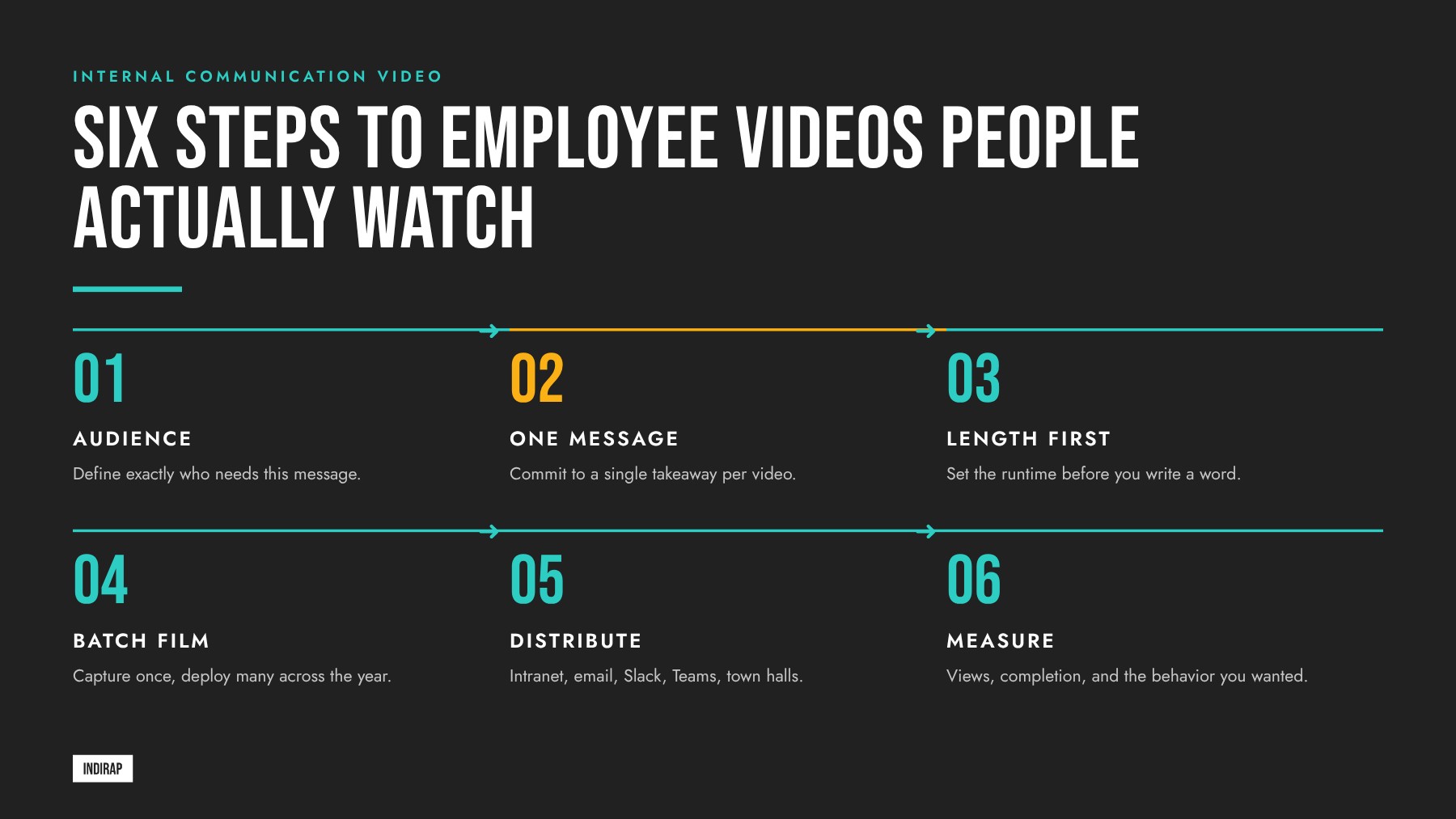
Planning is where internal videos succeed. A clear plan keeps approvals smooth, keeps the shoot efficient, and keeps the final cut focused. Work through these three decisions before anyone writes a script.
"All employees" is rarely the real audience. Ask who most needs this message and what they already know. A benefits change might matter most to hourly staff with families. A new CRM rollout matters most to sales and service teams. A safety update matters most to people on the floor. When you can picture the viewer, you can choose the right speaker, vocabulary, and examples. Industry context matters too: messaging for a team in manufacturing or healthcare needs to work on shared screens and mobile phones during short breaks, while a technology and software team may watch at a desk with headphones.
Write the one sentence you want every viewer to remember. If you need two sentences, you probably need two videos. A single message gives the video a spine, makes editing decisions easy, and makes it simple to measure whether the video worked. Supporting details can live in a linked FAQ page or intranet article.
Length follows purpose. A leadership update usually works best at 60 to 120 seconds. A town hall highlight reel lands well at three to five minutes. A training micro-video should run only as long as the task takes to demonstrate, often under two minutes. Onboarding and culture pieces can run longer when the storytelling earns it. Our article on how long business videos should be covers length by format in more detail.
Teams that run this checklist for every request build a dependable internal video rhythm. If you want a clear view of each phase from brief to delivery, our walkthrough of the corporate video production process maps it out step by step.
Executives are busy, and many are more comfortable in a boardroom than in front of a lens. The good news: a little structure turns almost any leader into a confident, warm on-camera presence. Here is the approach we use with leadership teams.
Scripts for internal video should sound like speech. Use short sentences, contractions, and plain words. Read every line aloud before it goes to the executive. If a line feels awkward to say, rewrite it. Open with the point, explain the why, share one concrete example, and close with what happens next. Our guide to writing the perfect video script walks through this structure in detail.
A teleprompter gives executives the security of exact wording, which matters for sensitive topics like restructuring or financial results. The trick is a conversational delivery. We load the script in short phrases, set a comfortable scroll speed, and encourage the speaker to paraphrase when a word feels unnatural. For lighter topics, we often skip the prompter and run an interview style conversation, asking the leader questions so the answers come out in their natural voice.
A good director watches energy, pace, and eye line and gives quick, specific notes between takes: slow down here, smile on this line, pause before the key number. Three or four takes with real coaching usually produce a far stronger result than a dozen unguided attempts. Executives notice the difference and become more willing to record again next quarter.
Leaders who get comfortable on camera for internal audiences often become strong voices externally too. Our piece on the founder video content stack explains how that same on-camera skill builds trust with customers.
For a quick perspective from an employee communications platform on why video earns attention inside organizations and how teams can use it, this short video from Staffbase is a useful companion to the planning and scripting steps above.
Once your leaders are comfortable and your scripts are tight, the next decision is how much production each message deserves. That choice shapes the look, the schedule, and how many videos you can release from a single day of filming.
Every internal message deserves a polished, professional look, and the right production level depends on the audience, the shelf life, and the stakes. Matching the level to the message keeps quality high and lets your team produce more videos across the year.
| Production level | Best for | What it looks like |
|---|---|---|
| Studio day | CEO messages, strategy launches, benefits explainers, onboarding welcomes | Controlled lighting, clean backdrop, teleprompter, professional audio, multiple setups in one location |
| On-site shoot | Culture stories, facility tours, team spotlights, change management on location | Small crew filming at your offices, plants, or clinics, with interviews and real work footage |
| Event capture | Town halls, all-hands meetings, leadership summits, award ceremonies | Multicamera coverage, board audio feed, highlight reel plus individual clips |
| Batch filming session | A full quarter or year of leadership updates, training modules, and policy videos | Several speakers and scripts filmed back to back in one session, edited into a library |
Batch filming is the most efficient way to build a consistent internal video program. Instead of booking a crew every time a message comes up, you plan a quarter of content in advance and film it in a single session. One morning might include the CEO's quarterly update, the CFO's benefits overview, an HR welcome for onboarding, and three training micro-videos from department leads. Each speaker gets a dedicated slot with makeup, a prompter, and coaching.
From that one session, the edit team produces a full library: long and short cuts, vertical clips for mobile, captioned versions, and still frames for intranet articles. That is the "capture once, deploy many" approach at the heart of how INDIRAP builds content infrastructure for clients. Our article on how to scale corporate video production shows how this approach works across both internal and external content, and our Content Kit packages a batch session into a ready-to-deploy library of assets.
Batch filming also smooths approvals. Legal, HR, and communications can review every script together ahead of the shoot, and executives block a single date on the calendar. Working with an experienced video production company means the logistics, crew, and post-production run as one coordinated plan.
A great video needs a clear path to its audience. Distribution for internal comms means meeting employees where they already spend their workday, then making it easy to find the video again later.
Measurement turns internal video from a nice-to-have into a program leadership invests in. Track a small set of metrics consistently and report them alongside the business outcomes the video was meant to support.
| Metric | What it tells you | Where to find it |
|---|---|---|
| View rate | The share of your target audience that pressed play | Intranet analytics, video host, LMS reports |
| Completion rate | How many viewers watched to the end, which signals length and pacing fit | Video host audience retention reports |
| Drop-off points | The exact moment viewers left, which guides your next edit | Retention graphs in your video platform |
| Pulse survey response | Whether employees understood the message and feel informed | Short two or three question survey after release |
| Action taken | Enrollments, sign-ups, tool logins, or policy acknowledgments after the video | HR systems, IT dashboards, LMS completions |
| Questions and comments | What is still unclear and what to address in a follow-up | Intranet comments, Slack or Teams threads, manager feedback |
Pulse surveys are especially useful. Ask two quick questions right after release, such as "How clearly do you understand the change?" and "Do you know where to go with questions?" Compare answers by department and location to see where a follow-up would help.
Accessibility is a requirement for internal video, and it also improves results for everyone. Employees watch in open offices, on shop floors, in vehicles, and on mobile phones with the sound off. Building accessibility in from the start means every person can follow the message.
INDIRAP has produced more than 20,000 videos for over 900 clients across 40+ industries and 45+ states since 2013. Our client success stories show the range of that work. We help communications, HR, and leadership teams plan a year of internal video, film it efficiently in batch sessions, and deliver a library ready for every channel your employees use.
If you are weighing the investment, the useful question is value: what is one new client worth to your business? For many INDIRAP clients that sits between $20,000 and $100,000, and a single well-planned batch session can serve internal goals and external growth together, from leadership updates to recruiting and founder content.
Book A Video Strategy Call to map out your next internal video session. Prefer to start with feedback on what you already have? Request a free content strategy review and we will share practical recommendations.
A CEO video message works best at 60 to 120 seconds for a routine update. That length gives the leader time to state the main point, explain why it matters, share one concrete example, and close with what happens next. For major announcements like a merger or strategy launch, three to four minutes is reasonable, supported by a written FAQ on the intranet for details.
The best way to record a town hall video is with at least two cameras, a direct audio feed from the sound board, and a plan for the edit before the event starts. Capture the full session for archive, then cut a three to five minute highlight reel plus short standalone clips of each key announcement for employees who could not attend live.
Yes, a teleprompter is helpful for most executive internal videos, especially when wording matters for legal, financial, or sensitive topics. The key is a conversational script written for speech, a comfortable scroll speed, and a director coaching delivery between takes. For lighter culture or recognition videos, an interview format with questions often produces a more natural result.
A steady rhythm works well for most mid-market organizations: a leadership update each quarter, a town hall recap after each all-hands, and topical videos for benefits, change initiatives, and onboarding as needed. Batch filming a quarter of messages in one session makes this cadence realistic without pulling executives into frequent shoots.
Host internal company videos where employees already work, with one permanent home for each video. Your intranet or employee app is usually the main destination, your LMS holds training and compliance videos, and an unlisted YouTube link or private enterprise video platform provides a mobile-friendly player. Choose the host based on content sensitivity and your security requirements.
Yes, every internal video should have accurate captions. Captions support employees who are deaf or hard of hearing, help non-native speakers, and let people watch with the sound off in open offices, on plant floors, or on mobile phones. Pair captions with a full transcript on your intranet so employees can search and skim the content later.
Employees watch internal videos that are short, relevant to their work, and easy to find. Lead with the most important point in the first few seconds, keep each video focused on one message, and share it in the channels people already use, such as Slack, Teams, email, and the intranet homepage. Asking managers to play the video in team meetings also lifts viewing.
Yes, one well-planned shoot can produce both internal and external content. A leadership session can yield an employee update, a recruiting message, a founder story for LinkedIn, and website clips, all from the same crew, lighting setup, and calendar block. Planning both audiences in the production brief is what makes this capture once, deploy many approach work.
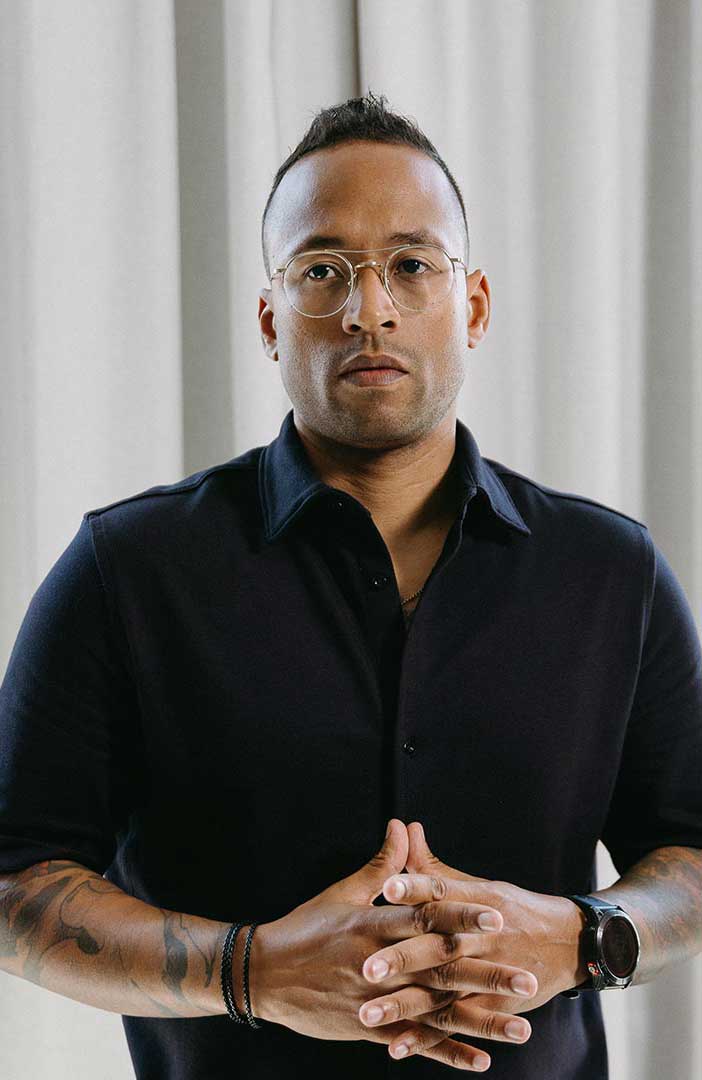

Julian Tillotson is the Founder & CEO of INDIRAP, a full-service video production and creative strategy agency based in Chicago, IL. With 10+ years of experience, INDIRAP has delivered 20,000+ videos to 900+ clients across 40+ industries, making it one of North America's leading digital creative agencies.