
What is B-roll? B-roll is the supporting footage that plays over or between your main shot, usually an interview or presenter on camera. It shows the product, process, people, and place the speaker describes. Good B-roll footage turns a talking head into a story and lets your editor build many videos from one shoot.
B-roll is any footage that supports the primary story of a video without being the primary story itself. In a brand film, the A-roll is usually the founder, customer, or subject-matter expert speaking on camera. The B-roll is everything you cut to while they talk: hands assembling a product, a team meeting around a whiteboard, a slow push into your storefront, a close-up of a screen as software runs.
The term comes from the days of physical film and tape editing. Editors worked with two reels, labeled A and B. The A-roll held the main footage, and the B-roll held the supporting shots. The technology changed long ago, and the vocabulary stuck. Today you will see it written as B-roll, b roll, or broll, and every version means the same thing.
For a business audience, the simplest way to think about B-roll is this: A-roll tells, B-roll shows. Your interview subject can say "we obsess over quality control," and the B-roll proves it with a shot of an inspector measuring a part with calipers. That pairing of claim and proof is what makes corporate and brand video persuasive. Our post-production glossary covers the rest of the language you will hear in an edit review.
B-roll earns its place in every professional edit for four practical reasons.
A-roll is the primary footage that carries your narrative, usually the audio-driven content such as an interview, a presenter speaking to camera, or a dialogue scene. B-roll is the secondary footage that illustrates, supports, and adds texture to that narrative. In most brand videos, the audio of the A-roll keeps playing while the picture cuts to B-roll, then returns to the speaker at key emotional moments.
| Element | A-roll | B-roll |
|---|---|---|
| Role in the story | Carries the message and the narrative | Illustrates, proves, and adds texture |
| Typical content | Interviews, presenters, testimonials, dialogue | Process shots, product details, people at work, locations |
| Audio | Primary audio, captured with dedicated microphones | Usually played under A-roll audio or music; natural sound is a bonus |
| Planning document | Script or interview question list | B-roll shot list tied to the script |
| Reuse potential | Specific to one message | Highly reusable across many videos and channels |
The phrase "A-roll and B-roll" describes a partnership. The A-roll gives the video its voice, and the B-roll gives it its eyes. A strong video production company plans both together from the first conversation. The words in the interview determine the pictures you need.
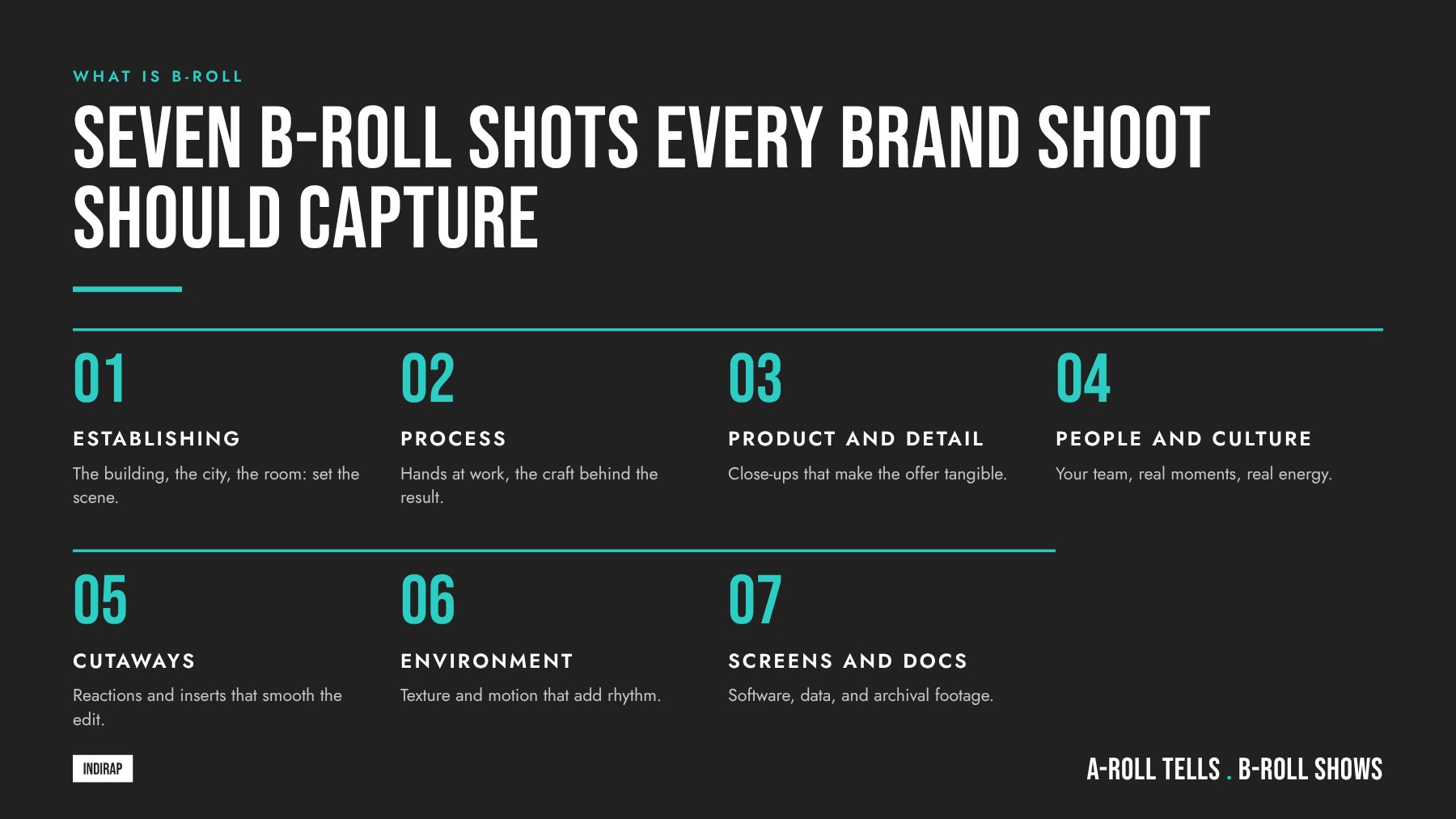
B-roll shots fall into a handful of categories. If you want a deeper look at framing and camera movement, our breakdown of the best camera shots for video production pairs well with this list.
These wide shots tell the viewer where they are: the exterior of your building, a drone view of a campus, the floor of a warehouse, a skyline at dusk. They set context in a second or two.
Close-ups of hands doing skilled work are some of the most valuable B-roll you can capture. Think of a technician wiring a panel or an advisor sliding a document across a desk. These shots communicate expertise and care without a single word, which is why they anchor so much process and service videos.
Macro and tight shots of your product, packaging, materials, and interface. Think slow slider moves across textures, turntable shots, and the product in a customer's hands. These are the backbone of product video production.
Candid moments of your team collaborating, laughing, presenting, and solving problems. These shots humanize the brand and are essential for recruiting, culture, and employer brand content. Capture them naturally by letting people do real work in place of staged poses.
A cutaway moves the viewer away from the main subject to something related, such as the audience at an event while the keynote speaker talks. A cut-in moves closer to a detail within the main scene, such as the speaker's hands while they gesture.
Signage, light through a window, raw materials on a shelf, plus walking shots, push-ins, and tracking moves. These shots add atmosphere and energy and make great transitions or background loops.
Product demos, dashboards, historical photos, and archival video all count as B-roll. For technology and software brands, high-resolution screen capture is often the most important B-roll on the list.
Great B-roll is planned, captured on purpose, and tied to the message. Here is the process we recommend for any brand or corporate shoot.
A simple shot list format keeps everyone aligned on shoot day. Here is a template you can adapt.
| Script line or message | Shot description | Framing | Movement | Priority |
|---|---|---|---|---|
| "We build every unit by hand." | Technician assembling a unit at a workbench | Wide, medium, tight on hands | Slow slider move | Must-have |
| Opening of the video | Building exterior at golden hour | Wide | Drone or slow push-in | Nice-to-have |
| Social cutdown hook | Product reveal from packaging | Tight, vertical-safe | Push-in | Must-have |
| Website loop | Team collaborating at a table | Wide, locked off | Static or very slow drift | Bonus |
This planning step sits inside the broader pre-production phase. If you are newer to the process, our guide to the three stages of video production shows where the B-roll shot list fits alongside scripting, scheduling, and casting.
These B-roll ideas are a strong starting point for common brand videos.
Usable B-roll comes from discipline on set. The editor needs clean, steady, well-lit clips with a clear beginning, middle, and end. These practices make the difference.
For each important action, capture at least three sizes: a wide shot that establishes the scene, a medium shot that shows the action, and a tight shot that isolates a detail. This coverage lets the editor build a mini sequence that feels intentional.
Roll for at least 10 seconds on each clip, and let the movement settle before you end the take. Editors need handles at the head and tail of a shot to make a clean cut.
Static shots are useful, and controlled movement adds life. Slow slider moves, gimbal walks, and gentle push-ins make B-roll feel premium. Start and end each move cleanly, and shoot the same move in both directions so the editor can match the energy of the cut.
B-roll shares the screen with your interview, so it should match its quality. Use available window light to your advantage, add soft fill to faces, and control mixed color temperatures. Our lighting tips for video production cover practical setups that work in offices, plants, and retail spaces.
If the footage will be cut for Instagram Reels, YouTube Shorts, and LinkedIn in addition to a horizontal master, keep the key action near the center of the frame or shoot dedicated vertical versions of priority shots.
Even when B-roll plays under an interview, the natural sound of a machine, a keyboard, or a room adds depth. Keep the camera microphone running for every clip so the editor can layer ambient audio into the mix.
For a visual walk-through of these techniques, this recent tutorial from Think Media demonstrates the difference between A-roll and B-roll, a dedicated B-roll setup with varied angles, and how the footage gets layered in the edit.
The video is aimed at creators, and the principles carry straight into brand work: shoot your A-roll first, give B-roll its own dedicated time on the schedule, vary your angles, and think about the edit while you are still on set. On a business shoot you often get one day inside a facility, so a disciplined B-roll block protects the project.
Capture more B-roll than you think you need, then organize it so it stays useful. No fixed ratio fits every project, and a few planning guidelines keep you safe.
The real question is less about minutes of footage and more about range. A library with 40 distinct, well-lit, well-composed moments gives an editor far more to work with than two hours of nearly identical clips.
Ask your production partner to deliver selects organized by location, subject, and theme, so your team can pull a shot of "warehouse, forklift, wide" in seconds months from now.
Both have a place, and the right answer depends on what the shot needs to prove. Stock footage works for generic concepts, while custom B-roll is the way to show your actual people, products, and places.
| Factor | Stock B-roll | Custom B-roll |
|---|---|---|
| Authenticity | Generic people and places | Your real team, space, customers, and product |
| Brand consistency | Varies in look and color | Shot to match your brand and your A-roll |
| Exclusivity | Available to anyone who licenses it | Yours alone |
| Speed | Available immediately | Requires planning and a shoot day |
| Best uses | Abstract ideas, faraway locations, aerials, transitions | Proof points, product, culture, process, and anything you claim |
| Long-term value | Fills specific gaps in an edit | Builds a reusable library for every channel |
A practical approach is to use stock for what you cannot shoot, such as a global map, a distant city, or a broad concept like "connection," and to invest in custom footage for everything that represents your business directly. Real footage of your people signals confidence and credibility. That authenticity is why brand video production relies on custom B-roll at its core.
B-roll is the raw material of a content system. When a shoot is planned around a deep, varied library, a single production day can feed your marketing across every channel for months. That is video as content infrastructure.
Our Content Kit is built on this model: plan the shoot strategically, capture a deep library, and deploy it across channels. If you want to see the broader workflow, our guide on how to repurpose video content walks through turning one shoot into a month of assets.
When you evaluate the investment in a shoot, the useful question is what one new client is worth to your business. For many INDIRAP clients, that number sits between $20,000 and $100,000. A B-roll library that powers a full quarter of content across every channel only needs to help win a small number of new clients to pay for itself many times over.
Editing with B-roll is where the planning pays off. A skilled editor uses B-roll to shape rhythm, clarify meaning, and keep the audience watching. These techniques are the foundation.
Cut to B-roll that illustrates what the speaker is saying at that moment. When the speaker mentions the warehouse, show the warehouse. This literal pairing is the most reliable way to make a message land.
When you remove a stumble or combine two parts of an answer, a well-placed B-roll shot covers the jump cut and keeps the story flowing. This is why interview-driven corporate video production depends on plenty of B-roll.
Cut back to the A-roll for the most important and most personal lines. Faces build connection when sincerity matters most.
Let the audio of the next shot begin before its picture (a J-cut), or let audio continue after the picture changes (an L-cut). These overlapping cuts make transitions between A-roll and B-roll feel natural and polished.
Cutting in the middle of a movement hides the edit and keeps energy high. A final color grade brings A-roll, B-roll, and any stock footage into one consistent look.
You can see these editing principles at work across our business video production portfolio, where interviews, process footage, and culture shots combine into finished stories.
Strong B-roll starts with strategy: your key messages, your channels, and the proof your audience needs to see.
If you are planning a shoot and want a team to map out the shot list, the deliverables, and the deployment plan, Book A Video Strategy Call. If you would like a second set of eyes on your current content first, request a free content strategy review and we will show you where better B-roll could lift what you already have.
B-roll means the supplementary footage that plays alongside or over the main footage in a video. While the main footage, called A-roll, carries the message through an interview or presenter, B-roll shows the viewer what is being described. It includes shots of products, processes, people at work, and locations, and it makes a video more visual, credible, and engaging.
B-roll and stock footage overlap but are different things. B-roll describes the role footage plays in an edit, supporting the main story. Stock footage is pre-shot footage licensed from a library. Stock clips can be used as B-roll, while custom B-roll is shot specifically for your brand, showing your real team, products, and spaces, which builds more trust with viewers.
Good examples of B-roll footage for a business video include exterior shots of your building, close-ups of hands assembling a product, team members collaborating in a meeting, customers using your product, screen recordings of your software, and detail shots of signage or materials. Each of these shows proof of what your speaker is describing, which makes the message more persuasive.
Each B-roll clip should be recorded for at least 10 seconds, even though the editor may only use two to five seconds of it. Holding longer gives the editor clean handles at the start and end of the shot, room for camera movement to settle, and options for slow motion. Longer takes keep every clip flexible in the final edit.
Yes, you can make a video using only B-roll. Brand sizzles, product launch videos, social ads, and website hero loops are often built entirely from B-roll, driven by music, voiceover, or on-screen text. These videos depend on a strong variety of shots and a clear message structure, so they still benefit from careful planning and a detailed shot list.
B-roll should almost always be recorded with natural sound, even if that audio ends up quiet in the final mix. Ambient sound from machines, conversations, keyboards, or a busy room adds realism and depth under interview audio or music. Recording it on set is simple and gives your editor more options to make the finished video feel immersive.
The B-roll plan is usually created by the director or producer in collaboration with the client during pre-production. The team reviews the script and key messages, identifies the visual proof needed for each, and builds a prioritized shot list. On shoot day, the director and camera operator follow that list while staying alert for authentic moments worth capturing.
On Instagram Reels and YouTube Shorts, B-roll provides the fast visual variety that keeps viewers watching in a vertical feed. Open with the most dynamic shot as a hook, cut frequently to keep pace, and pair B-roll with captions or a short voiceover. Footage framed with vertical cropping in mind on set makes these edits faster and cleaner.
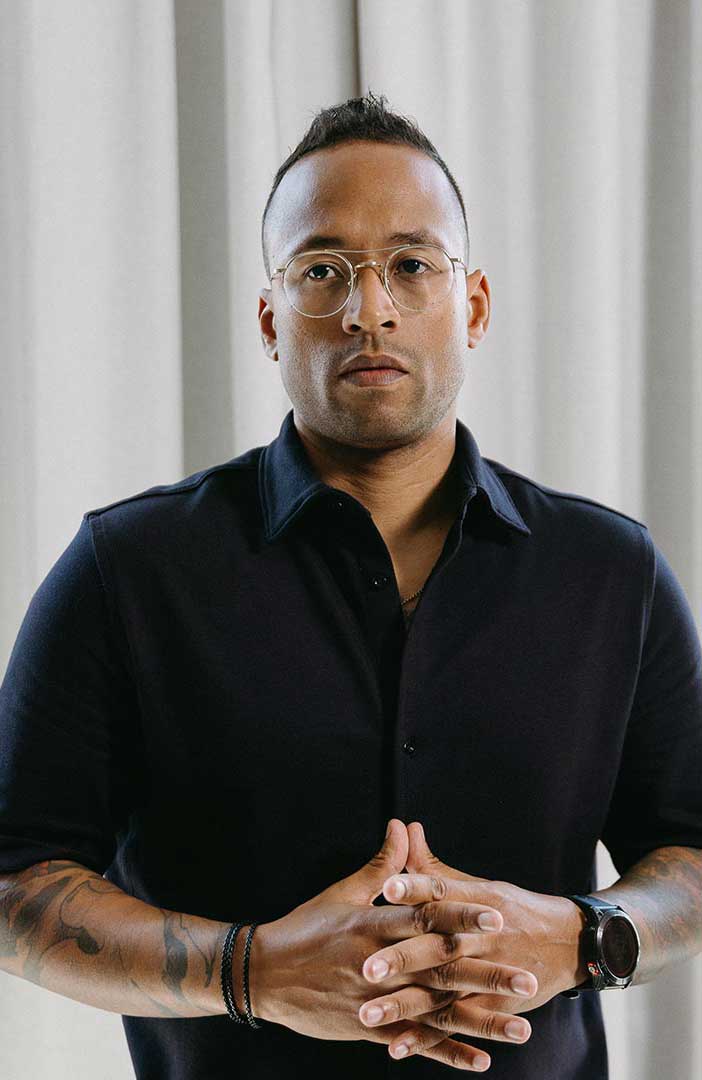

Julian Tillotson is the Founder & CEO of INDIRAP, a full-service video production and creative strategy agency based in Chicago, IL. With 10+ years of experience, INDIRAP has delivered 20,000+ videos to 900+ clients across 40+ industries, making it one of North America's leading digital creative agencies.