Repurposing video content effectively means transforming one core piece into 10+ derivative assets across different platforms and formats, each optimized for specific audience behaviors and platform algorithms. The goal isn't recycling—it's strategic atomization and adaptation.
Here's the framework that works: start with long-form cornerstone content, extract platform-specific cuts, and adapt the format to match each distribution channel's strengths.
One comprehensive piece of video content can become 15+ separate assets across different platforms and formats. This isn't about being everywhere—it's about maximizing the ROI on production time.
From One 10-Minute YouTube Video, Create:
3-4 LinkedIn posts (60-90 seconds each highlighting different insights). 4-5 Instagram Reels (30-45 seconds each with platform-optimized hooks). 5-7 YouTube Shorts (30-60 seconds each as teaser content). 1 blog post (transcript edited for SEO and readability). 1 newsletter segment (key takeaways with link to full video). 3-5 Twitter/X threads (text breakdowns of main points). 10-15 quote graphics for social media. 1 podcast episode (audio extracted and edited). 1 SlideShare or PDF guide (visual summary).
This approach meets your audience where they are with the format they prefer, without creating 15 separate pieces of original content.
Always create the long-form, comprehensive version first. Then cut down for other platforms. Never go the other direction.
Why Start Long-Form:
You can always remove content, but you can't add depth that wasn't recorded. Long-form gives you options for multiple angles and cuts. YouTube and SEO value comprehensive content. You build a library of deep-value content that compounds over time.
The Master Content Format:
Record a 10-15 minute video covering a topic comprehensively. Include multiple examples, frameworks, or perspectives. Record in a format suitable for both landscape (YouTube/LinkedIn) and vertical (Instagram/TikTok). Ensure high-quality audio that can stand alone as podcast content.
Each platform requires different optimization beyond just changing video length. Understand what each platform's algorithm and audience favor.
LinkedIn Adaptation:
Extract the business insights or professional takeaways. Create 60-90 second videos with strong opening hooks. Add captions (80% watch without sound). Focus on actionable frameworks or perspectives. Upload natively (don't just link to YouTube).
According to LinkedIn data, native video uploads get 5x more engagement than external video links. The algorithm heavily penalizes sending people off-platform.
Instagram Adaptation:
Convert to 9:16 vertical format. Extract the most visually interesting or emotionally resonant moments. Keep under 60 seconds for Reels. Use trending audio when relevant (but don't force it). Start with immediate value (no slow intros). Add text overlays for key points.
YouTube Shorts Adaptation:
Pull the most surprising stat, controversial take, or valuable tip. Format as vertical 9:16 video. Keep under 60 seconds. Use as teaser driving to full video. Front-load the hook in first 2 seconds.
Video content can become powerful written content with minimal additional effort.
Blog Post Conversion:
Transcribe the video (use automated tools, then edit for readability). Add H2/H3 headers breaking content into sections. Include the embedded video at the top. Add supporting images or screenshots. Optimize for SEO with target keywords. Link to related resources and CTAs.
According to various SEO studies, pages with video content keep visitors engaged 2x longer than pages without video, improving SEO rankings.
Email Newsletter Segment:
Summarize the main insights in 2-3 paragraphs. Include 2-3 actionable takeaways. Embed video thumbnail with link to full video. Add CTA to related content or next steps.
Social Media Text Posts:
Create Twitter/X threads highlighting main points. Write LinkedIn text posts with video companion. Extract key quotes for standalone posts. Create discussion-starter posts referencing video insights.
Video audio can become podcast content, expanding your reach to audio-first audiences.
Podcast Episode Creation:
Extract audio from video. Remove visual references ("as you can see on screen"). Add audio-specific intro and outro. Edit for pacing and flow without visual context. Distribute to podcast platforms (Apple Podcasts, Spotify, etc.).
Audio Clips for Social:
Extract compelling 30-60 second audio moments. Pair with simple graphics or waveforms. Share on Instagram Stories, TikTok, LinkedIn. Use as teaser for full video or podcast episode.
Still frames and visual elements from video can become standalone visual content.
Quote Graphics:
Screenshot compelling moments with captions. Add branded template overlay. Extract powerful quotes said on camera. Create carousel posts for Instagram/LinkedIn. Use as supplementary content between video posts.
Infographics and Slide Decks:
Convert framework or process explained in video into visual infographic. Create SlideShare presentation from main points. Design PDF guide summarizing insights. Use as lead magnets or supplementary resources.
Create a system that makes repurposing efficient and sustainable, not overwhelming.
Immediate After Recording:
Upload master video to YouTube. Send to transcription service. Export audio file for podcast use. Identify 3-4 key moments for social clips.
Within 48 Hours:
Edit platform-specific cuts (LinkedIn, Instagram, Shorts). Create blog post from transcript. Schedule social text posts. Design 2-3 quote graphics.
Within 1 Week:
Publish blog post with embedded video. Send newsletter featuring the content. Create longer-form supplementary resources. Plan follow-up content expanding on topics mentioned.
The right tools make repurposing efficient instead of time-consuming.
Essential Tools:
Video editing: Adobe Premiere, Final Cut Pro, or DaVinci Resolve. Social media editing: CapCut, InShot, or Descript. Transcription: Otter.ai, Descript, or Rev. Graphics: Canva for templates and quote graphics. Scheduling: Buffer, Hootsuite, or Later for multi-platform posting.
The Template System:
Create platform-specific templates for consistency. Pre-made graphic templates for quotes and thumbnails. Email newsletter template for video features. Blog post template with video embed structure. Social caption templates for different platforms.
Continue learning about video marketing:
From one 10-minute video: 3-4 LinkedIn posts, 4-5 Instagram Reels, 5-7 YouTube Shorts, 1 blog post, 1 newsletter, 3-5 Twitter threads, 10+ quote graphics, 1 podcast episode. That's 30+ derivative pieces from one recording session.
Spread it strategically. Post different platform versions (LinkedIn, Instagram, YouTube) simultaneously. Space out Shorts and Reels over 2-4 weeks. Use blog and newsletter to reinforce main video. Quote graphics fill gaps between major posts.
Yes. Each platform has different optimal formats (16:9 vs 9:16), lengths (60s vs 90s), and hooks. Simply cropping isn't enough—re-edit for each platform's algorithm and audience expectations.
Each platform reaches different audiences. LinkedIn followers rarely overlap 100% with Instagram followers. Even within platforms, not everyone sees every post. Repetition across platforms rarely feels redundant to your audience.
Start with: one YouTube long-form, one LinkedIn cut, one Instagram Reel, one blog post. This covers video platforms, professional audience, consumer audience, and SEO. Add more as you build efficiency.
Repurposing video content isn't about lazily recycling—it's about strategically maximizing the ROI on your production investment by meeting your audience where they are with the format they prefer.
At INDIRAP, we help businesses build efficient content repurposing systems that turn one video shoot into weeks of multi-platform content. From editing to distribution to performance tracking, we handle the full repurposing workflow.
Ready to maximize your video content ROI? Comment CLARITY below for our free Video Marketing Guide, or book a free Discovery Call to discuss your content repurposing strategy.
Ready to create professional video content for your business? Explore INDIRAP's corporate video production portfolio to see how we help brands tell their story through high-quality video.
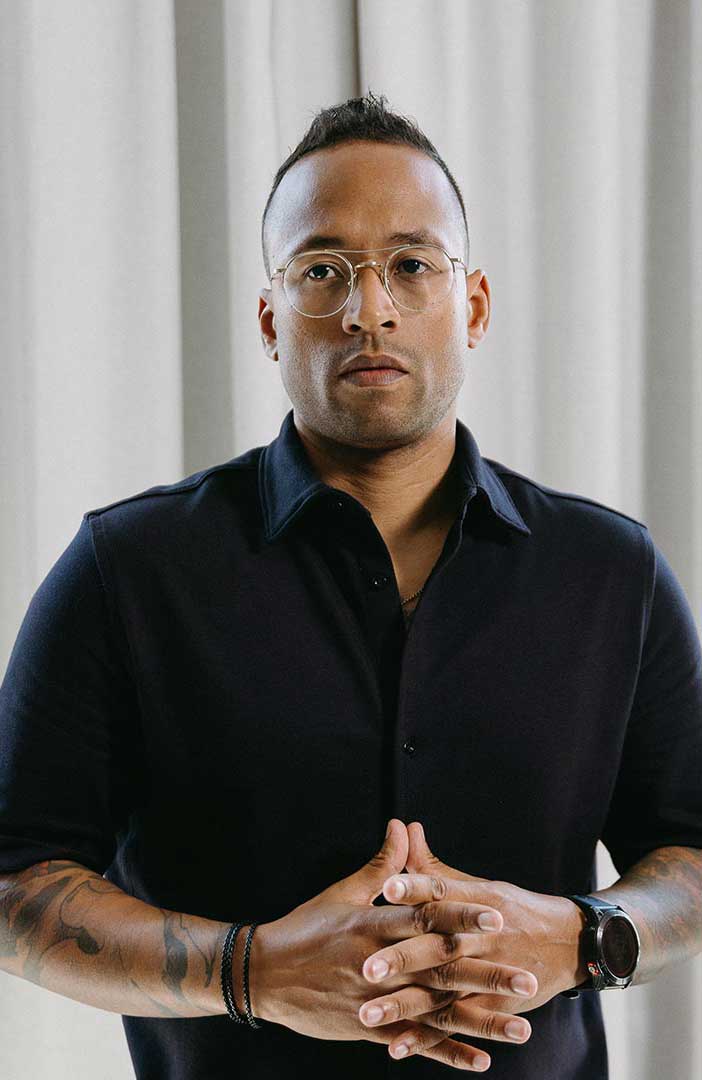

Julian Tillotson is the Founder & CEO of INDIRAP, a full-service video production and creative strategy agency based in Chicago, IL. With 10+ years of experience, INDIRAP has delivered 20,000+ videos to 900+ clients across 40+ industries, making it one of North America's leading digital creative agencies.


.png)
.png)